
CodeTeach.aiGitHubPrivacyTeaching
Private Student Repositories From a GitHub Template
How CS instructors can assign private student repositories from a GitHub template and keep autograding in GitHub Actions without GitHub Classroom.
GitHub template repositories can cover the essential handoff that many instructors used GitHub Classroom for: giving students a clean starting repository with tests, instructions, and GitHub Actions already in place. For many CS courses, this is the smallest practical GitHub Classroom alternative.
The model is simple. The instructor owns a private template repository and creates one private repository per student. GitHub Actions runs inside each student repository for rapid feedback.
Instructor setup for a template repo assignment
Create or deploy the assignment as a GitHub template repository. Keep it private and instructor-only. The instructor uses Use this template to create each student repository; do not give students template read access or a private-template generation link.
The template should include:
- starter code
- instructions
- autograding workflow
- any test files needed by the workflow
Remove solution material from every student-readable branch and repository. If the private instructor template contains a solution branch, anyone with template read access should be assumed able to see it. Branch protection prevents changes; it does not make a branch secret.
Student setup for private repositories
Students receive an invitation to the private repository the instructor created. They should follow the naming convention you provide and submit through the normal course process.
For example:
lastname-firstname-assignment-name
If the instructor is creating the student repos, the safer sequence is:
- Open the template repo and click Use this template.
- Create one private repo for one student.
- Leave Include all branches unchecked.
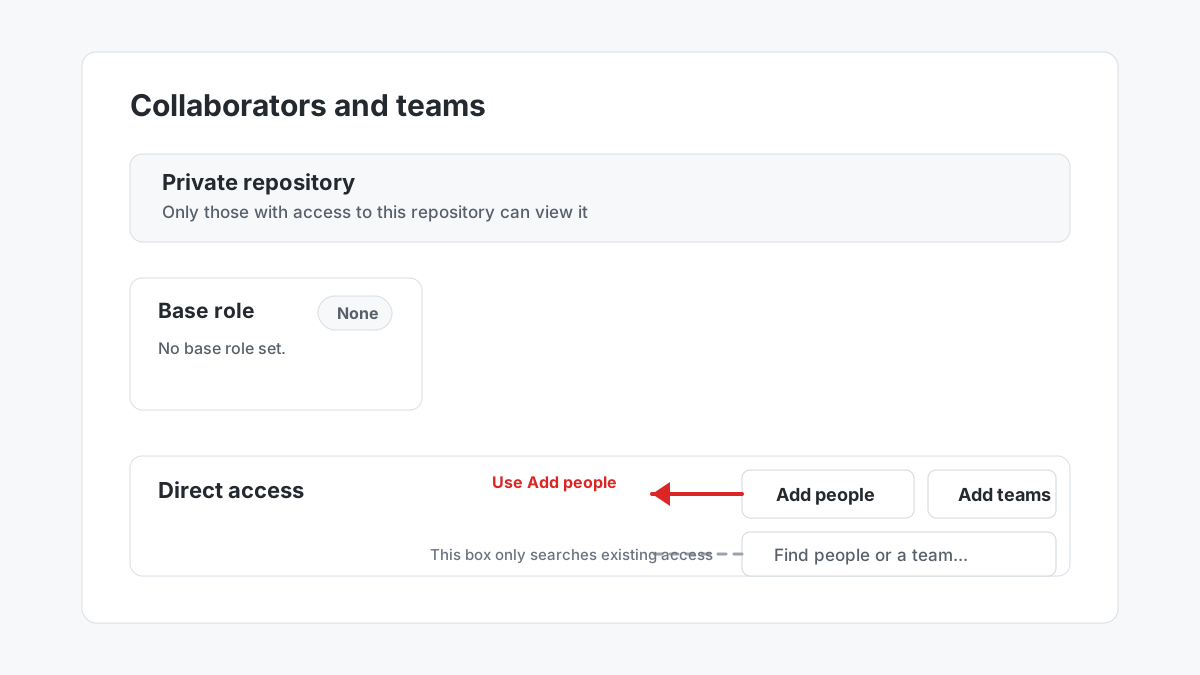
- For an organization repository, check whether the student is already a member, review base and inherited team access, then grant direct write access only to that repo. A non-member becomes an outside collaborator; an existing member remains an organization member.
- For a personal repository, add the student as a regular repository collaborator.
- Paste the student's exact GitHub username and verify access is limited to this repo.
The search field inside the access table is an existing-access search box. It searches people and teams that already have access; it is not the control for inviting a new student. Use Add people.
Email lookup is inconsistent because many GitHub users keep email addresses private. For class logistics, collect exact GitHub usernames in your roster.
LMS submission
The simplest submission method is still the LMS. Ask students to submit the repository URL in Canvas, D2L, Blackboard, Moodle, or whatever your institution already uses.
That keeps CodeTeach.ai out of student records and lets instructors keep using existing grading processes.
GitHub Actions autograding
Autograding remains in GitHub Actions. Students see feedback in the Actions tab. Because students with write access can modify workflows or token permissions, those runs are feedback-only for security purposes. For authoritative grading, evaluate the submitted commit from a protected instructor-controlled repository or runner and retain the canonical result outside the student-controlled repo.
This does not reproduce every GitHub Classroom convenience, but it preserves the core value: students work in GitHub, tests run in GitHub, and the instructor owns the course workflow.
Streamlining this workflow
The manual process is the safest baseline because it does not require CodeTeach.ai to store student rosters or manage student repositories. For larger courses, the natural next step is instructor-owned automation:
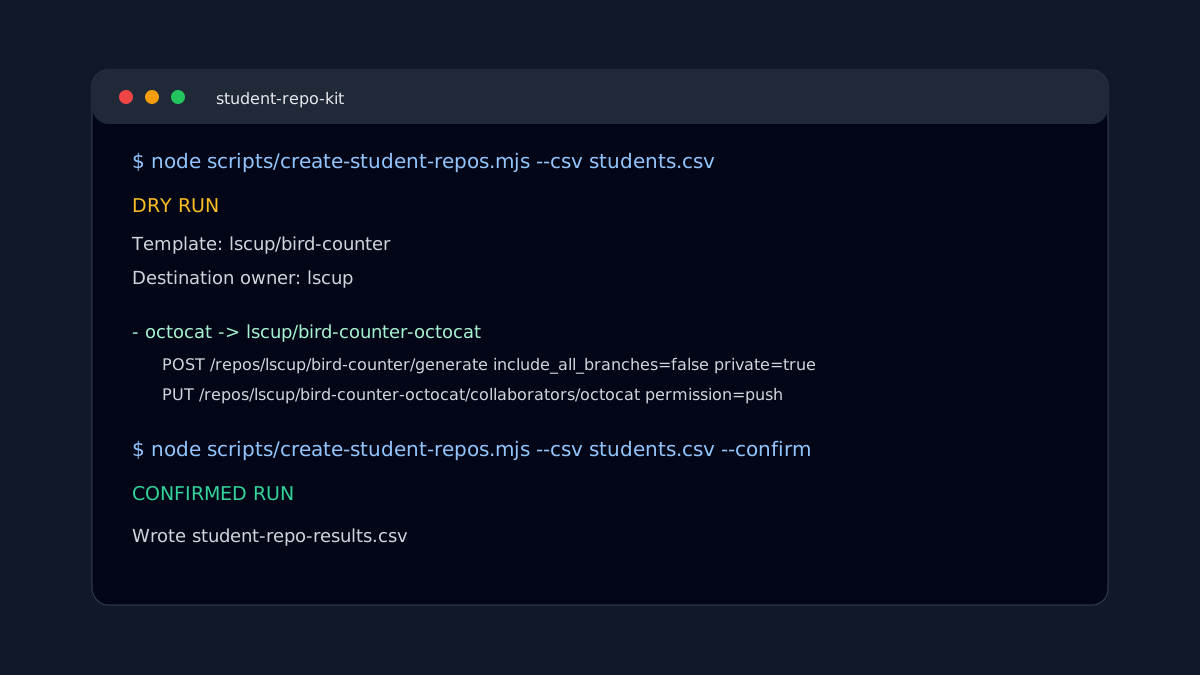
- maintain a CSV roster with
github_usernameand desired repo name - use the GitHub CLI or REST API to create private repos from the template
- grant each exact GitHub username direct access only to its own repo; organization non-members become outside collaborators, existing members remain members, and personal repos use regular collaborators
- keep the roster, invitations, and grade records under instructor or institutional control
That keeps the operating model lean while still giving CS instructors a path to recover the assignment-link convenience they lost with GitHub Classroom.