
CodeTeach.aiGitHub ClassroomGitHub ActionsAutograding
GitHub Classroom Alternative for CS Instructors During the Transition
A practical GitHub Classroom alternative using GitHub template repositories, GitHub Actions autograding, private student repos, and CodeTeach.ai assignment generation.
GitHub Classroom gave computer science instructors a convenient package: an assignment link, student repositories, and autograding through GitHub Actions. GitHub closed new Classroom sign-ups on May 26, 2026 while allowing existing classrooms to continue until the service transitions fully on August 28, 2026. Instructors now need a migration path that still keeps students in GitHub. See GitHub's transition announcement.
Our answer is straightforward: keep the generated assignment in GitHub, keep autograding in GitHub Actions, and move student repo creation to GitHub template repositories. CodeTeach.ai focuses on generating, validating, and deploying the assignment package. The instructor keeps ownership of student repositories, LMS submissions, and grade records.
A GitHub Classroom replacement without a new gradebook
CodeTeach.ai generates and validates the assignment package:
- starter code
- solution code for instructor review
- executable tests
- student-facing instructions
- GitHub Actions autograding
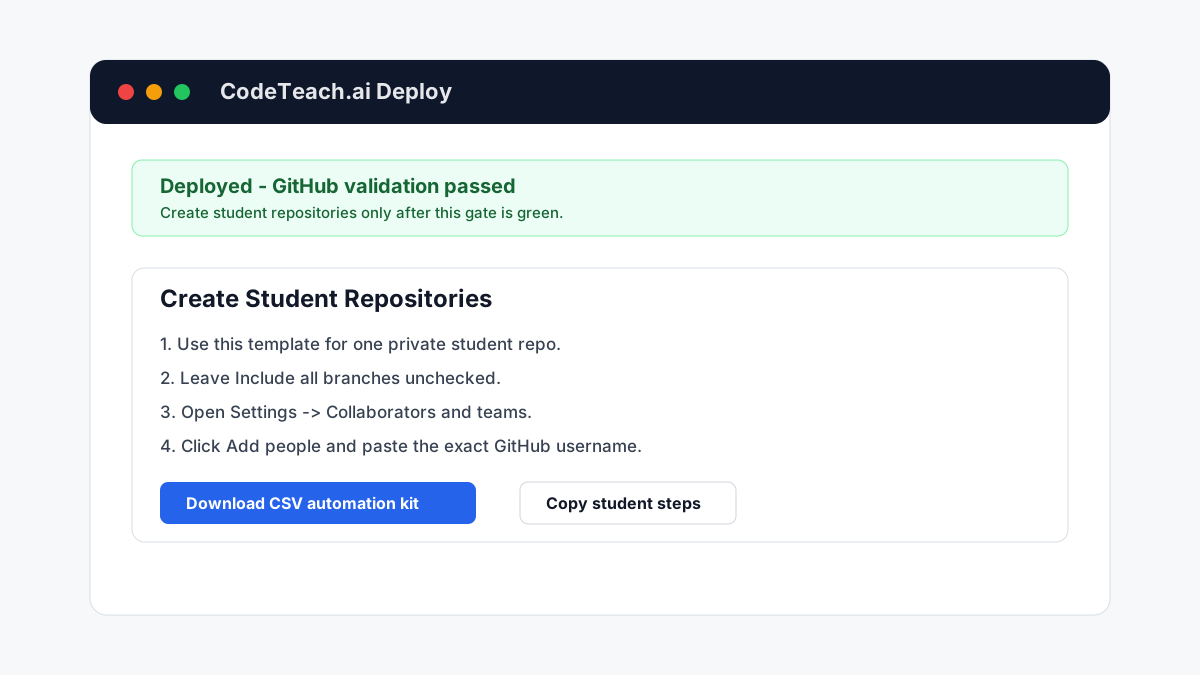
After validation, the instructor deploys a private GitHub template repository. The instructor, who can read that private template, creates one private repository per student with Include all branches disabled and then invites the student to that repository. Students are not granted template or solution access.
This is not a full Classroom clone. That is intentional. CodeTeach.ai stays focused on assignment generation, validation, and deployment. Instructors continue to own student management, repo visibility, LMS submission, and grading records.
Private student repositories
The safest default is instructor-created private student repositories, one at a time or from an instructor-owned roster script. For organization-owned repositories, first check whether the student is already an organization member and review the base role plus inherited team access. Grant direct write access only to that student's repository: a non-member is classified as an outside collaborator, while an existing member remains an organization member. For personal repositories, invite the student as a regular repository collaborator. In every case, use the student's exact GitHub username and verify the final access table.
Do not add students to the private template or solution repository. A private-template
/generate link is not a safe substitute: the student cannot use it without template read access, and template read access can expose non-default instructor branches.CodeTeach.ai does not need to hold a roster, receive student submissions, or store grades for this model to work.
Student instructions for a GitHub template repository assignment
At minimum, assignment instructions should include:
- Accept the invitation to your private assignment repository.
- Clone the repository and use the required branch and naming conventions.
- Work in the starter files and commit normally.
- Check the Actions tab for rapid autograder feedback.
- Submit the repository URL or required commit in the LMS.
Repository Actions are feedback, not tamper-resistant authoritative grading, because a student with write access can modify workflow files or token permissions. Never place instructor, organization, or third-party credentials in a student-controlled workflow. Keep the repository's default
GITHUB_TOKEN permission read-only and grant a narrower write permission only to a specific job that genuinely requires it. For consequential grades, run the submitted commit from a protected instructor-controlled repository or runner and retain the canonical result in the LMS or another protected record.Advanced automation for CS professors
For instructors who want more automation, the GitHub API can create private repositories from a template. That opens the door to instructor-owned scripts, GitHub Pages forms, or small repo factories built around a CSV roster of exact GitHub usernames.
We plan to publish practical guides for those advanced workflows. The key difference is ownership: the instructor controls the automation instead of depending on CodeTeach.ai to become a student data platform.