
CodeTeach.aiGitHub ClassroomAutomationGitHub CLI
GitHub Classroom Roster Automation Kit for CS Instructors
Use CodeTeach.ai's CSV automation kit to create private student repositories from a GitHub template without storing rosters in CodeTeach.
GitHub Classroom's assignment link solved a real problem: it turned a roster into student repositories. The replacement workflow should keep that convenience where it matters, but without making CodeTeach.ai a roster database, gradebook, or student-management system.
That is why CodeTeach now provides a downloadable student-repo-kit after an assignment deploys and GitHub validation passes.
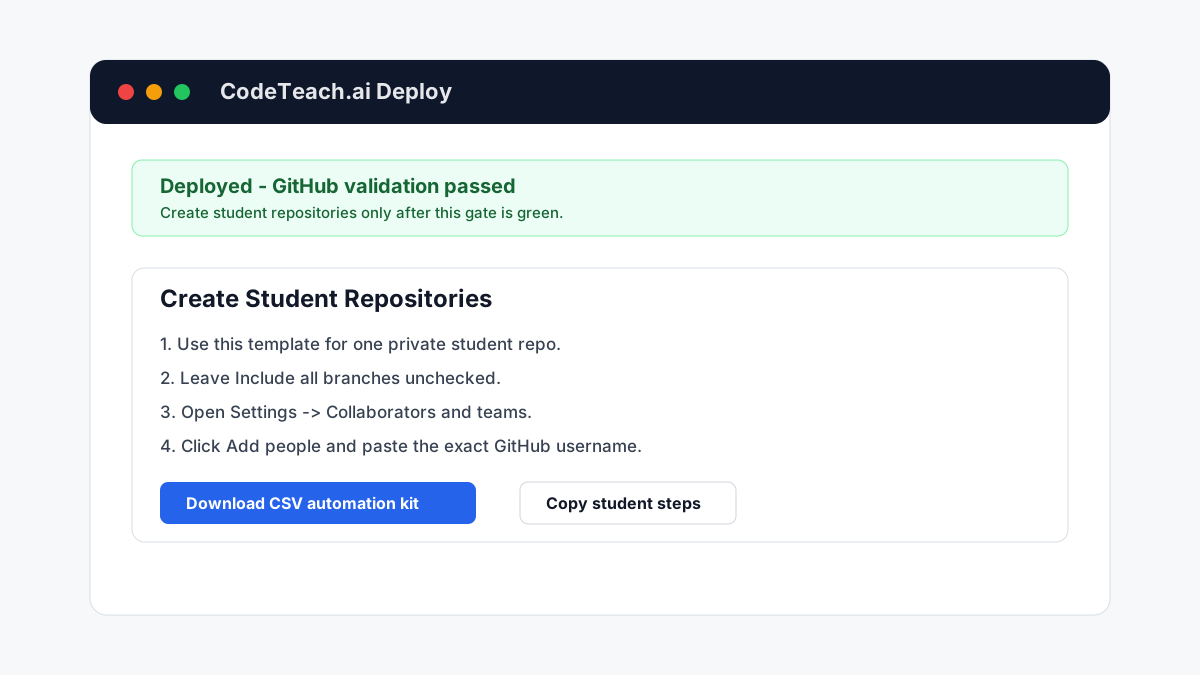
What the kit does
The kit is a ZIP file you run locally. It includes:
students.csvscripts/create-student-repos.mjsREADME.md
You edit the CSV with exact GitHub usernames and repo names. The script uses the GitHub CLI to create one private repo per student from the validated template repo, with
include_all_branches=false, then grants that student direct write access. For an organization repo, first check whether the student is already an organization member and review inherited team permissions: GitHub classifies a non-member as an outside collaborator, while an existing member remains an organization member. For a personal repo, the student is a regular collaborator.It is dry-run first:
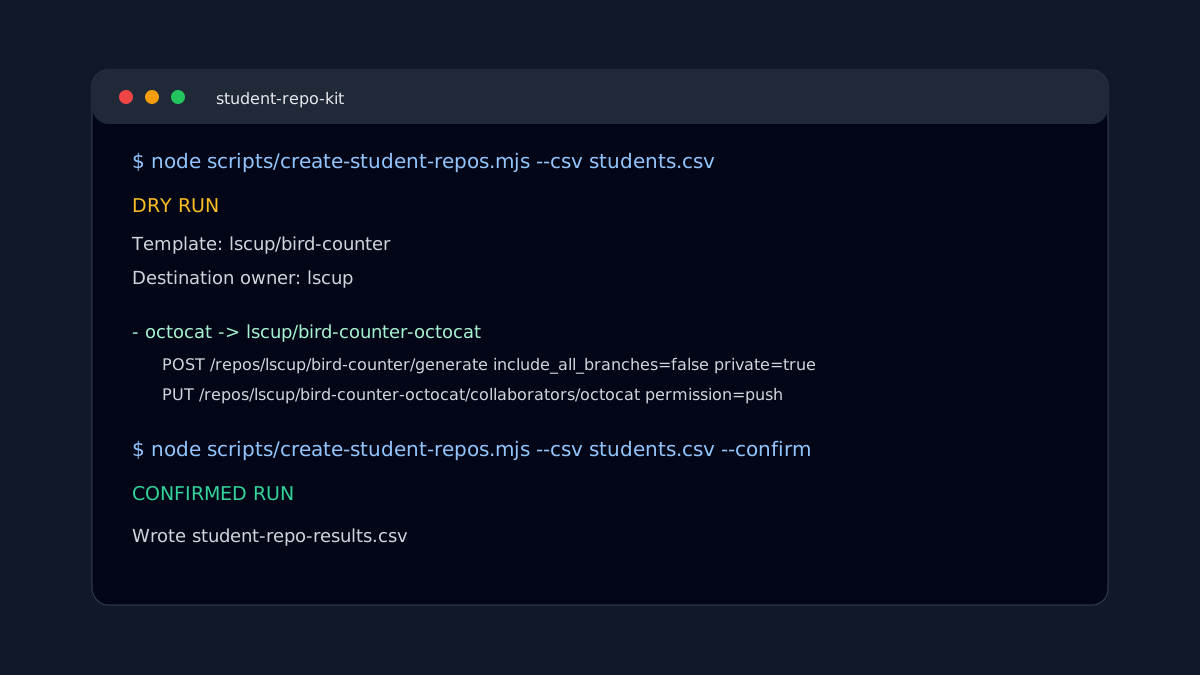
node scripts/create-student-repos.mjs --csv students.csv
When the dry run looks right:
node scripts/create-student-repos.mjs --csv students.csv --confirm
Why this stays instructor-owned
Instructors were burned by losing GitHub Classroom. The right replacement should not require them to move student rosters and grade records into another small vendor's database.
With this model:
- CodeTeach generates and validates the assignment
- GitHub stores the repositories and Actions results
- the instructor owns the CSV roster
- the LMS or instructor workflow stores grade records
CodeTeach does not store student usernames, submissions, or grades.
The collaborator detail that trips people up
In GitHub's repository settings, the search box in the access table is not the invite control. It only searches people and teams that already have access.
For an organization repo, use Settings → Collaborators and teams → Add people, after checking existing organization membership, the base role, and inherited team permissions. For a personal repo, use Settings → Collaborators → Add people.
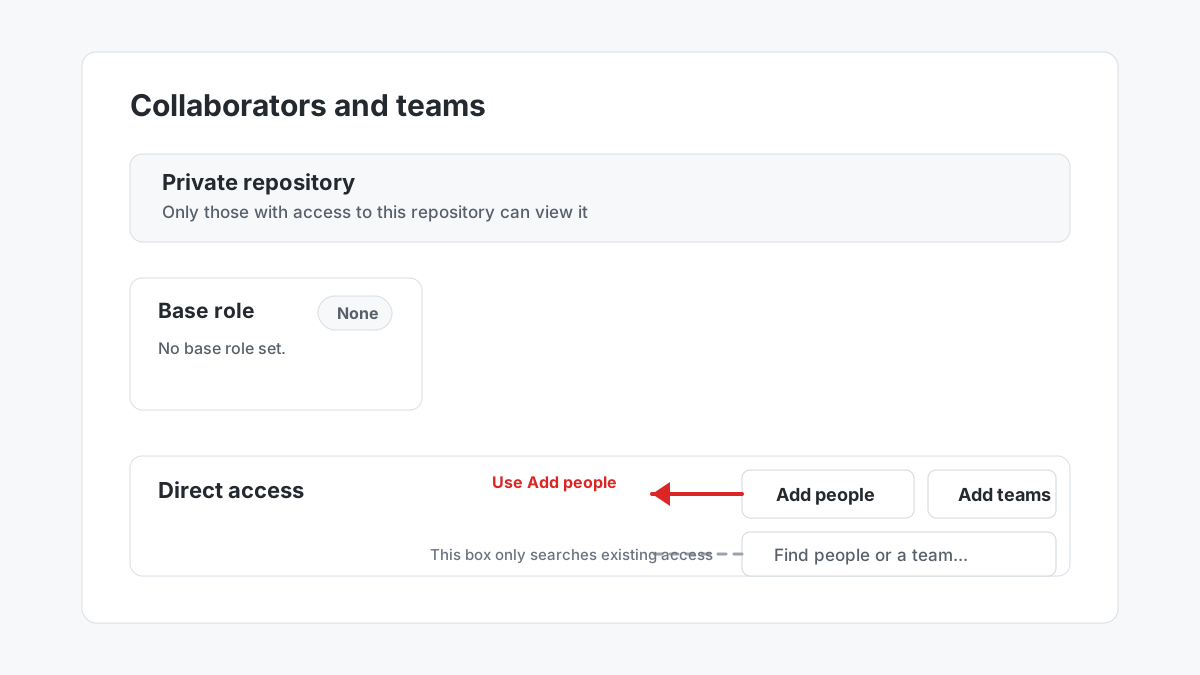
Use exact GitHub usernames. Email lookup is inconsistent because many GitHub accounts keep emails private.
Safety rules
The script follows the same privacy rules as the manual workflow:
- Keep the template repo instructor-only.
- Keep the solution repo or solution branch instructor-only.
- Create private student repos.
- Set
include_all_branches=false. - Invite each student only to their own repo.
This is not a full GitHub Classroom clone. It is a lean, programmer-friendly bridge: generate the assignment in CodeTeach, validate it, deploy the template, then run a local roster script you can inspect, modify, and own.